
AI Zombie Video Generator
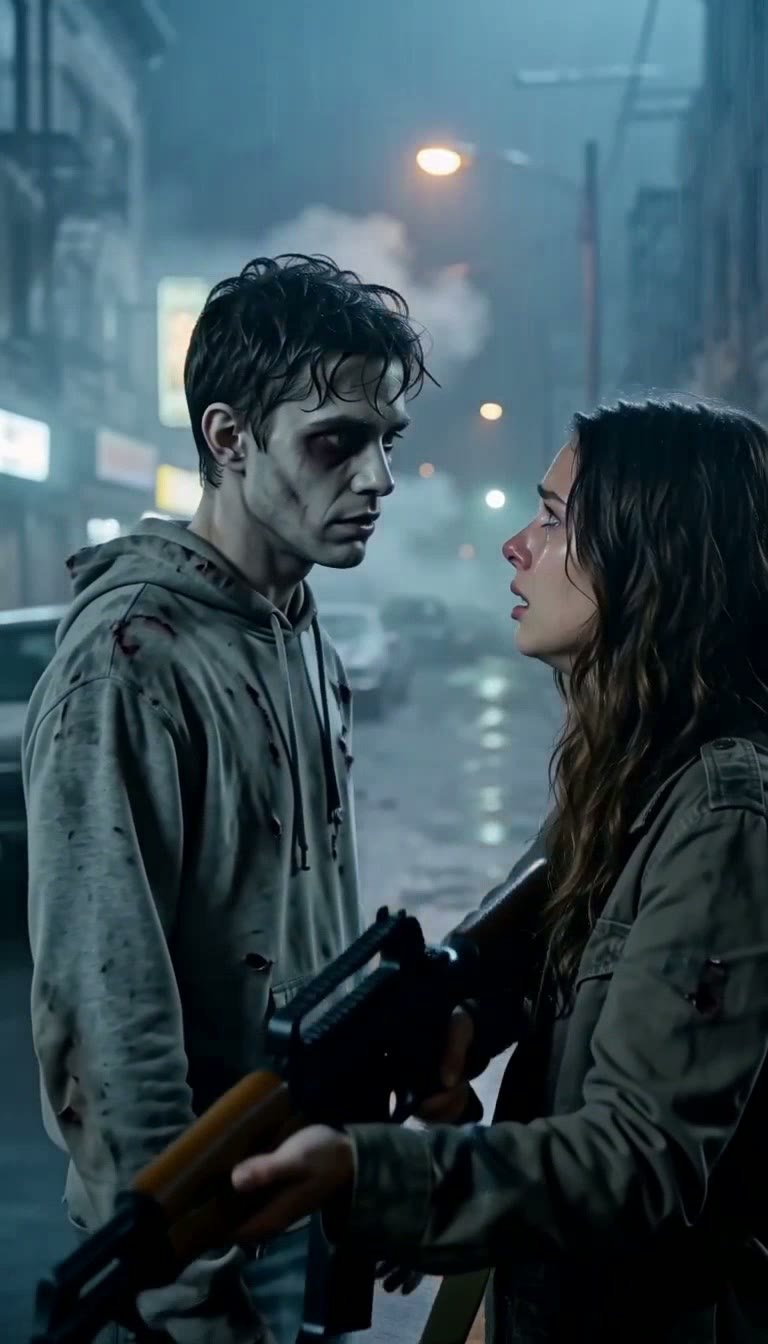
Upload two photos and the AI zombie video generator turns the first person into a zombie on a rain-soaked night street, while the second one aims, can't pull the trigger, and pulls them into a hug. You get a 10-second vertical video with sound in about a minute, ready for the zombie love story trend on TikTok and Reels. No prompt, no CapCut, no editing.
 TAKE 02TAKE 03
Recent AI Zombie Videos
An AI zombie video usually takes about a minute: the night-street standoff is built from your two photos first, then the 10-second scene is rendered.
AI Zombie Video Generator
Drag image here, click to browse, or paste from clipboard
Max size: 5MB
Drag image here, click to browse, or paste from clipboard
Max size: 5MB
At a glance
Verified Oct 2026- Input
- Two photos, one subject each · first photo becomes the zombie · JPG, PNG or WebP up to 5 MB
- Output
- MP4 with sound · 480p / 768p · vertical 9:16
- Length
- 10 seconds, one continuous take
- Render time
- About a minute
- Price
- 116 (480p) · 176 (768p) credits per video
- Watermark
- None
Recent AI Zombie Videos
See what you can create - Sign in to start generating your own videos
AI Zombie Video Examples
A couple, two best friends, and a pair of grandparents, each built from two ordinary photos. Tap a clip to play it with sound.
How to Make the AI Zombie Trend Video
- 01
Upload Two Photos
Add one photo per person. The first photo becomes the zombie and the second becomes the survivor holding the rifle. Clear, front-facing photos with one subject each work best; partners, friends and family all work.
- 02
Generate the Zombie Scene
Click generate. The AI zombie video generator builds the rain-soaked street standoff from your photos, then plays the whole story in one 10-second take: the zombie shambles closer, the survivor recognizes them, lowers the rifle and holds them.
- 03
Download and Post
Download the vertical 9:16 video with sound and post it to TikTok, Reels or Shorts. Add the trend's sound in the app, caption it "It doesn't matter what I am, you know who I am" if you like, and label the post as AI-generated.
AI Zombie Video Generator FAQ
Q01What is the AI zombie trend?
Q02How do I make the AI zombie video from my photos?
Q03Can I choose who becomes the zombie?
Q04Does the AI zombie video have sound, and can I use the trend's song?
Q05Will I still look like myself as the zombie?
More effects to try
Make Your AI Zombie Video Now
Two photos are all it takes for the zombie love story. Try the AI zombie video generator and have your version of the trend in about a minute.
No watermark. 10-second vertical video with sound.